GPW Ultimate Analyzer.See your mix.
Seven views of one mix, against 13 genre targets and your own references. Scroll to look inside.
Every frequency, at its real level
An absolute-level analyzer with slope, smoothing, mid/side and L/R underlays, max hold, snapshot, 1/3-octave and octave bars.
13 genre targets
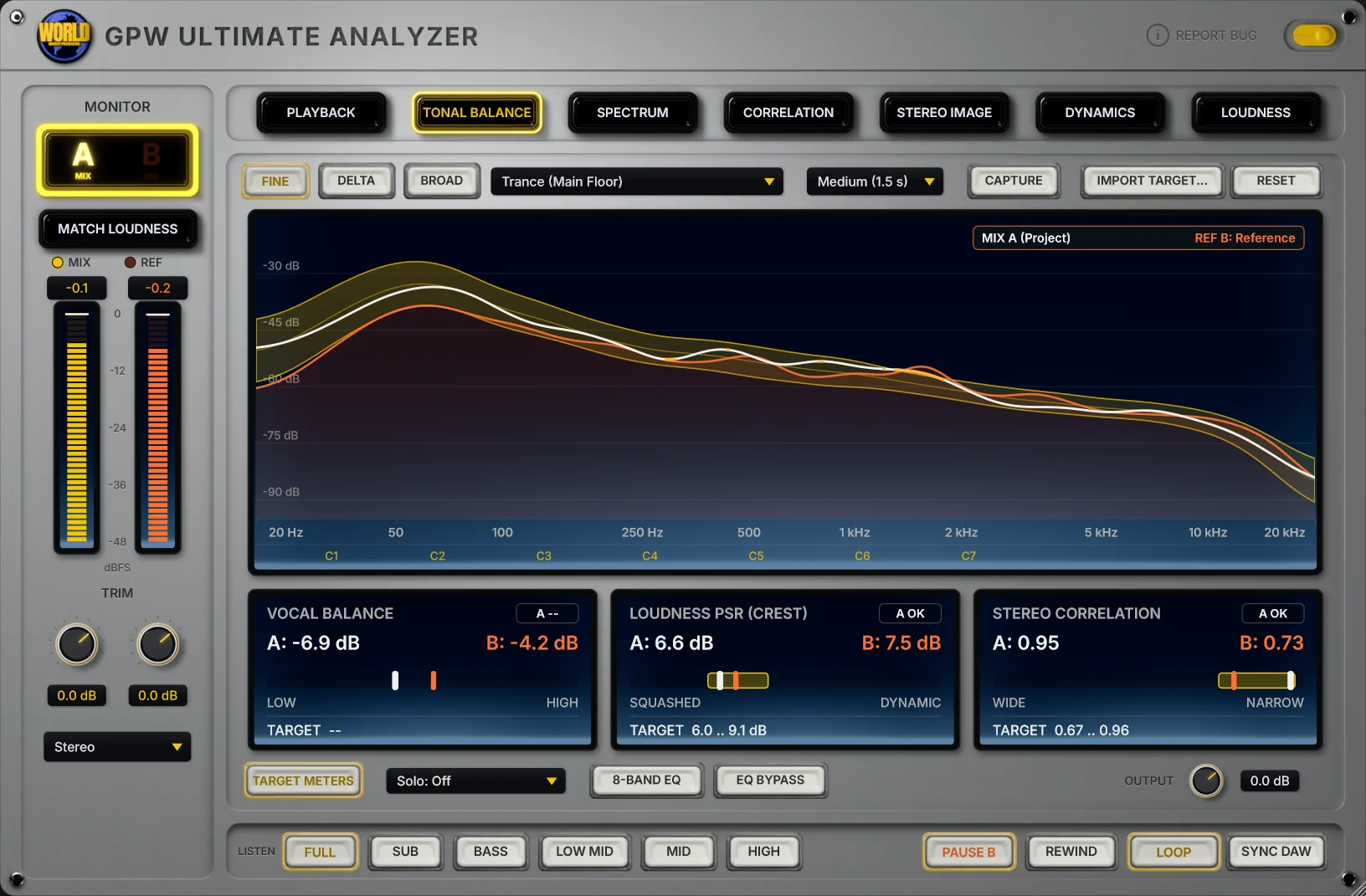
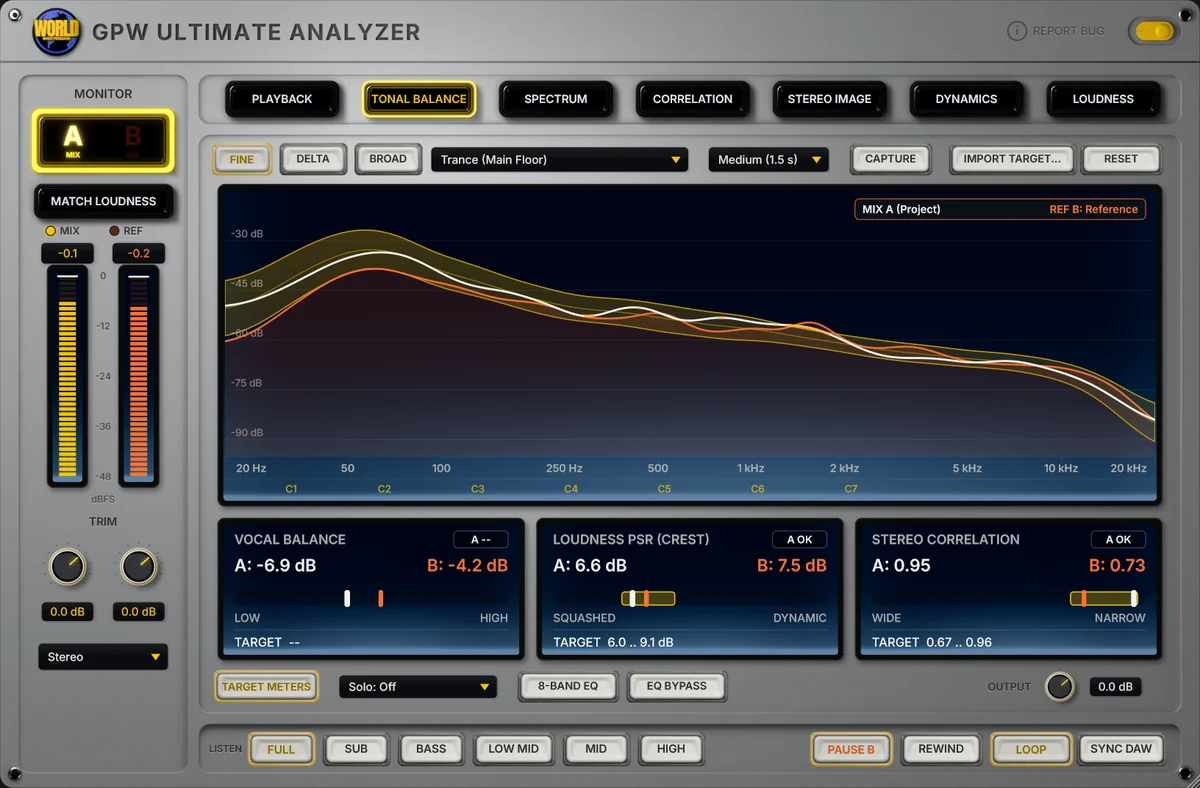
Measured from the drops of current chart tracks in each genre. Watch the target move around the same mix.
Where your mix leaves the target
Fine, Delta and Broad views of the same comparison, or a target of your own, captured live or imported from a track.
Vocal, crest and width, against the target
Vocal balance with AI vocal separation, crest factor (PSR) and stereo correlation, each measured against the genre target.
See your mix
Free demo download; license US$ 19, updates free forever.
One mix.Seven ways to see it.
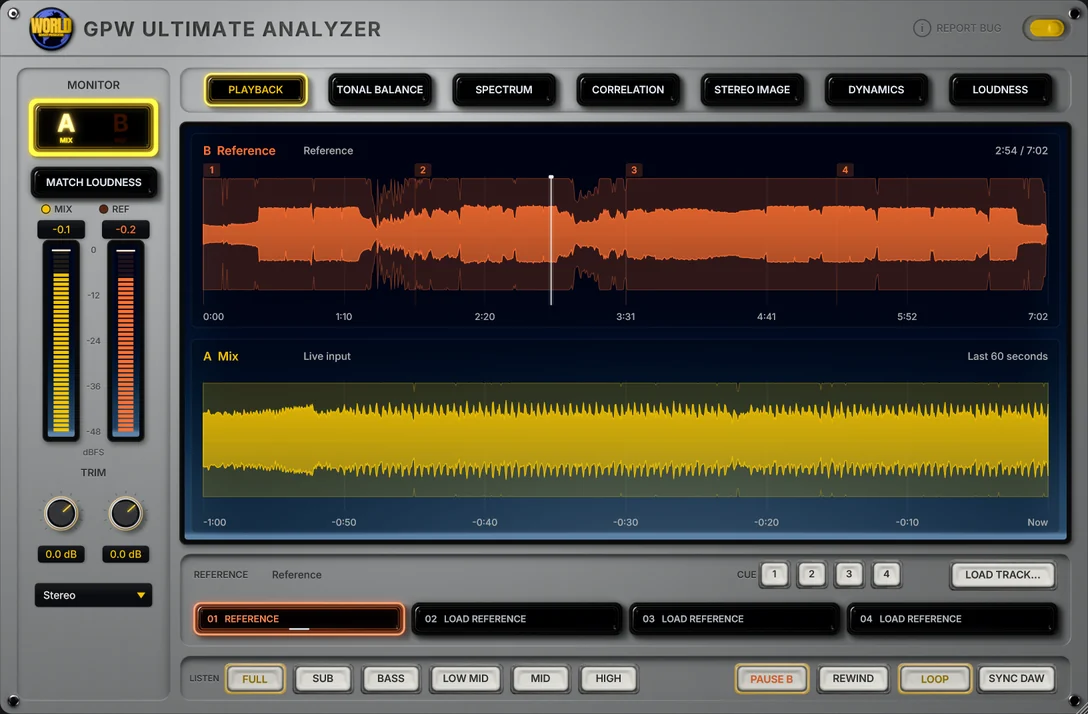
Mix and reference, side by side
The reference track above, your mix's last 60 seconds below. Four reference slots, cue points to loop a section, and playback in sync with your DAW.
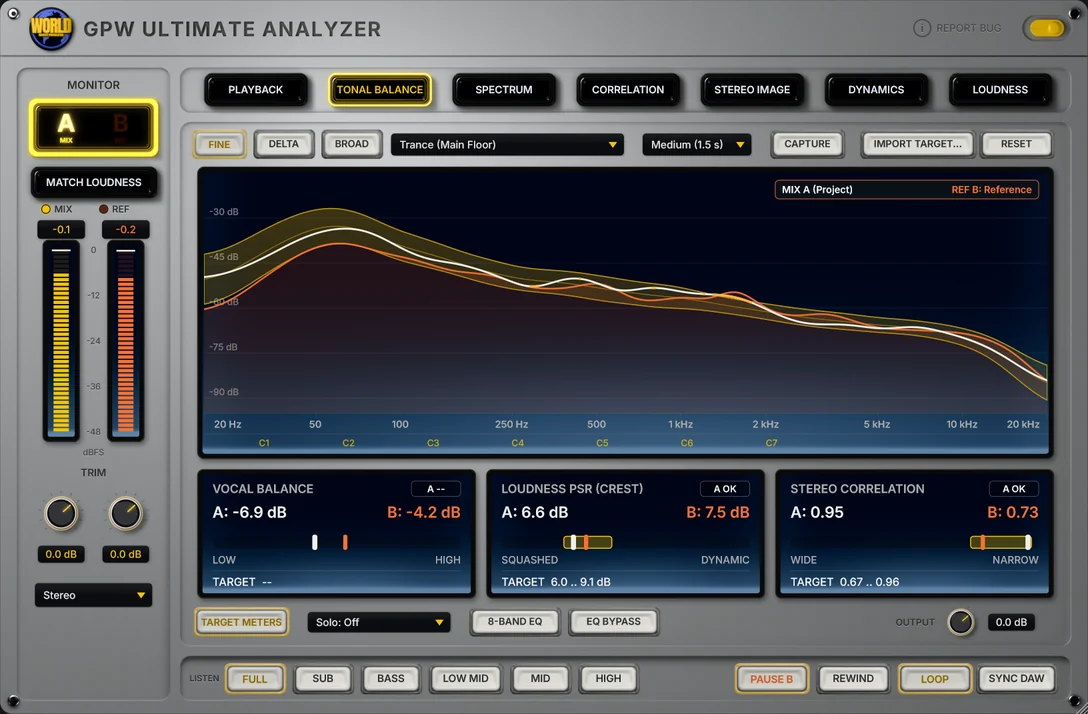
Against 13 genre targets
Fine, Delta and Broad views of your mix against a genre target, a target you capture live or one imported from a track. Under it, the target meters: vocal balance, crest factor (PSR) and stereo correlation.
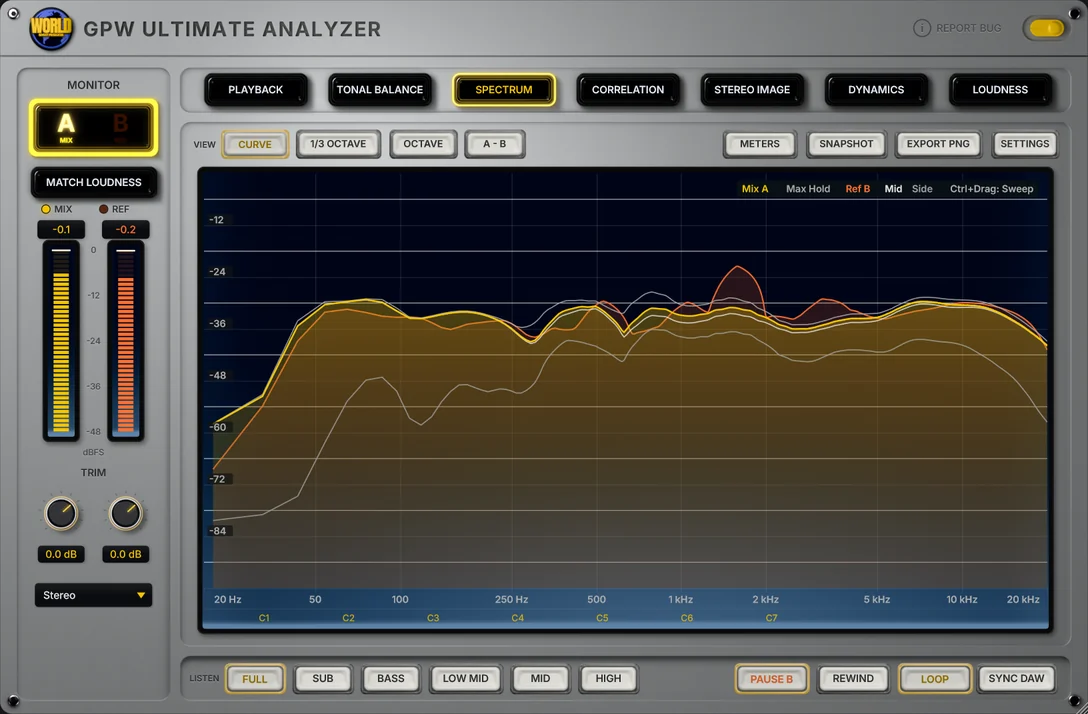
Absolute level
A spectrum analyzer in real level with slope, smoothing, mid/side and L/R underlays, max hold and snapshot, plus 1/3-octave and octave bars and an A-B difference view.
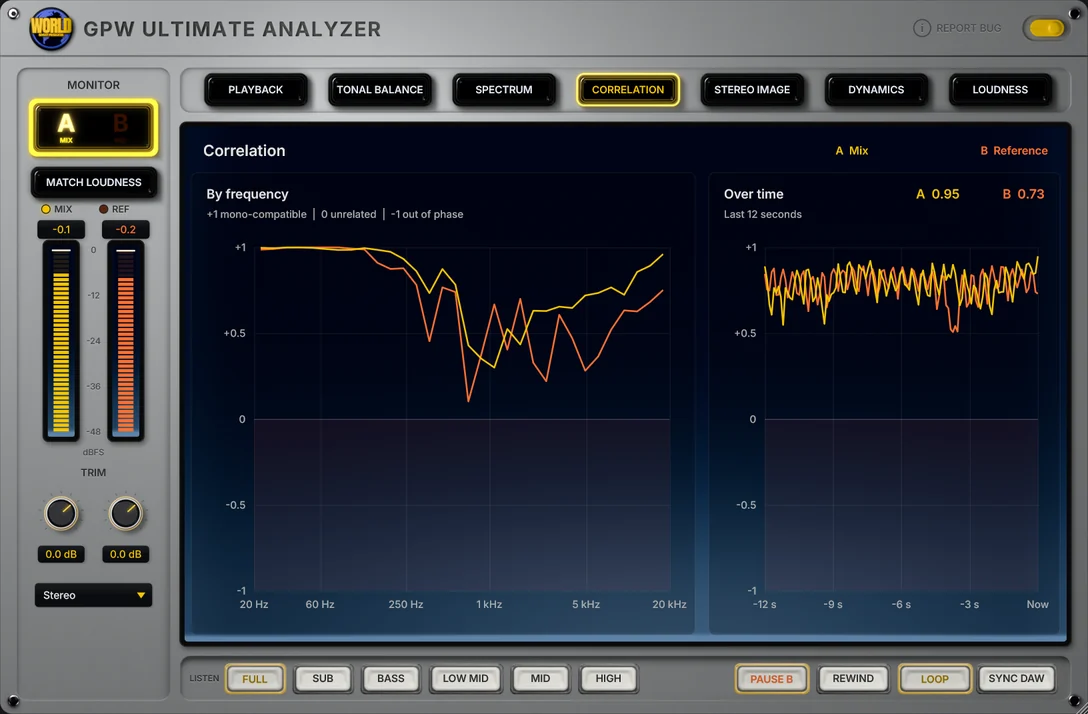
Mono-safe, band by band
Stereo correlation per frequency and over the last 12 seconds, for your mix and the reference, so you see which band falls apart in mono.
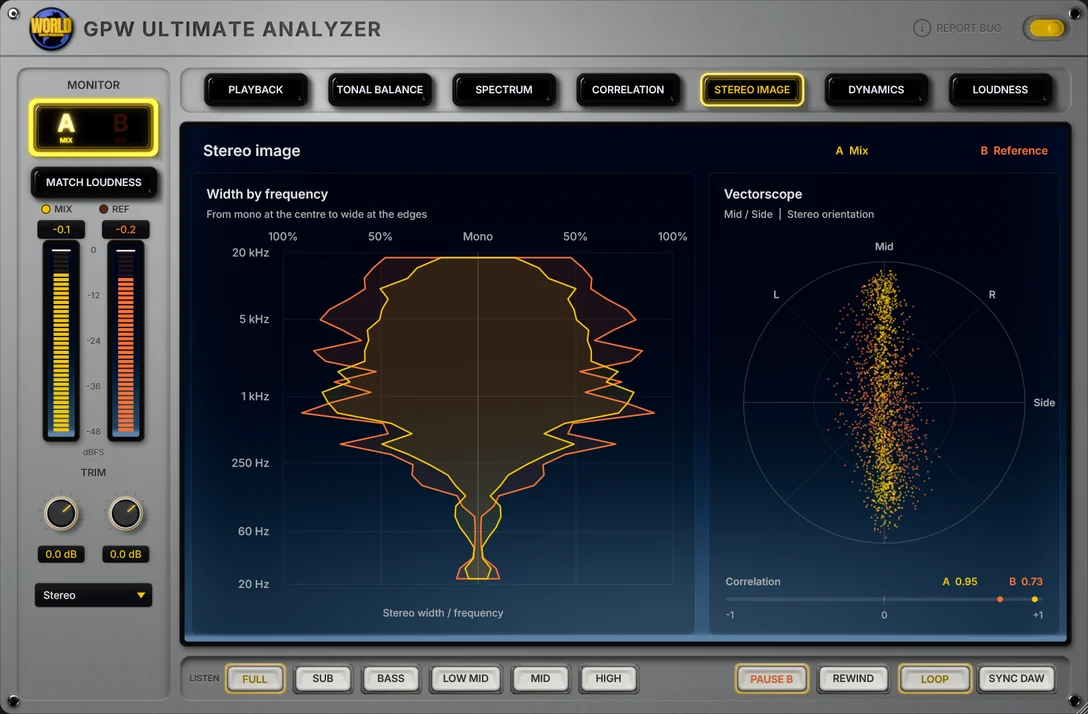
Width per frequency
Stereo width per frequency, from mono at the center to wide at the edges, next to a vectorscope.
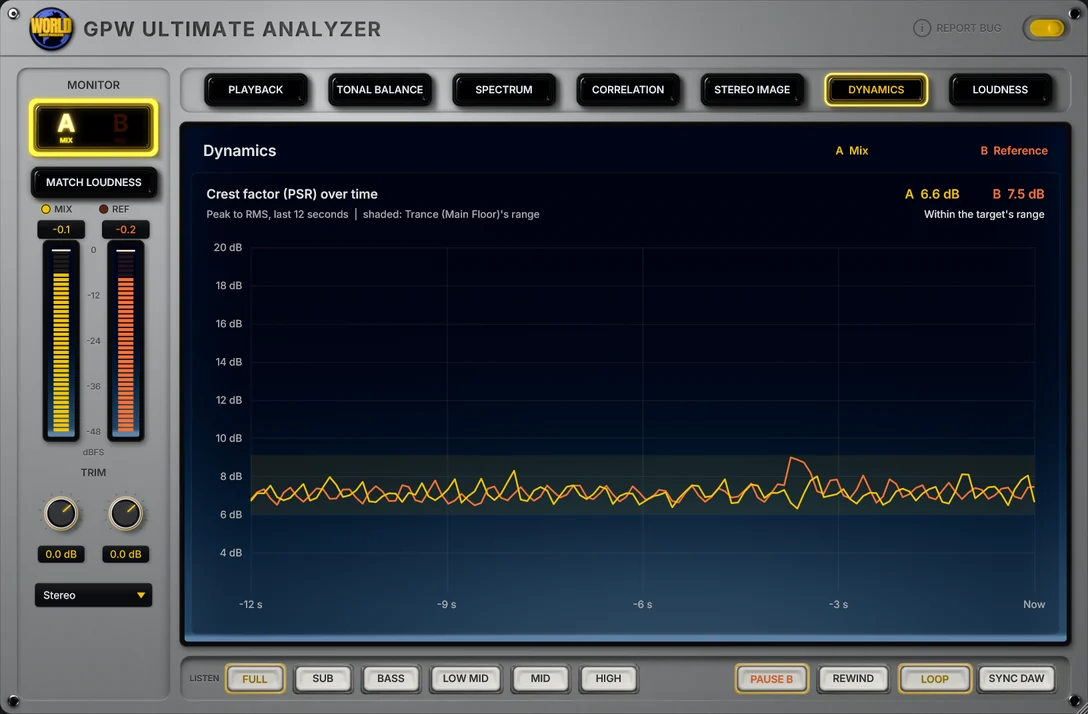
Crest factor history
The crest factor (PSR) of your mix and the reference over the last 12 seconds, with the reference's range shaded behind it.
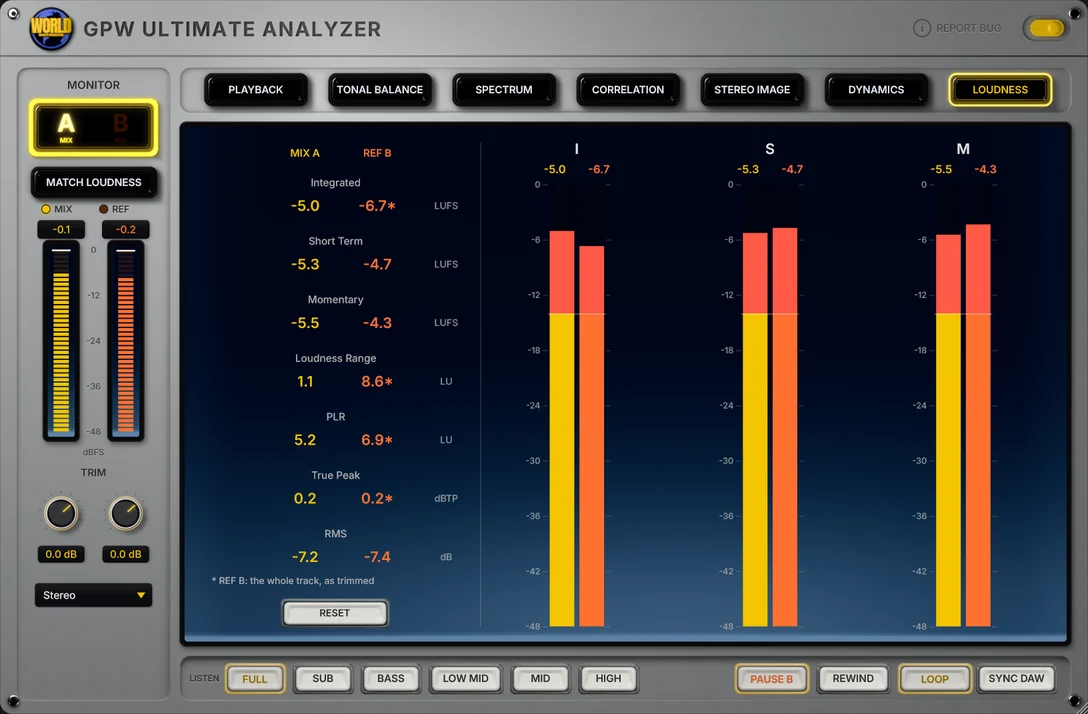
BS.1770 / EBU R128
Integrated, short-term and momentary loudness, loudness range, PLR and true peak, for your mix and the reference.
See it in use.
Your mix, live, through four of the seven tabs.
13 genre targets.
We measured every target ourselves, from the drops of current chart tracks in each genre, the same way the plugin measures your mix. Each one is a range, not a single line.
Four references, one click
Load up to four reference tracks and switch between your mix (A) and a reference (B). MATCH LOUDNESS levels them, so you judge the sound and not the volume.
Cue loops, DAW sync
Loop a section of the reference from its cue points, or let it play in sync with your DAW.
Hear one band
LISTEN isolates Sub, Bass, Low Mid, Mid or High. The monitor switches to Mono, Left, Right, Swap or Sides.
Vocal, crest, width
Vocal balance with AI vocal separation, crest factor (PSR) and stereo correlation, each against the genre target.
GPW Ultimate AnalyzerEverything in one window.
Tonal balance, spectrum, stereo, dynamics and loudness of your mix, next to a genre target and your own references, without leaving the plugin.
- TONAL13 genres
Genre targets
13 targets measured from the drops of current chart tracks, each one a range around the genre's average.
- TONAL3 views
Fine, Delta, Broad
The whole curve against the target, only the difference from it, or the balance of four broad bands.
- TONALLive · file
Custom target
Capture a target live from what is playing, or import one from a track.
- METERAI separation
Vocal balance
How loud the vocal sits in the mix, found with AI vocal separation, against the target.
- METERPSR
Crest factor
The PSR of the mix against the target's range, and its history in the Dynamics tab.
- METERPer band
Stereo correlation
Against the target, per frequency, over time, with stereo width per frequency and a vectorscope.
- REF4 slots
Reference A/B
Four slots, MATCH LOUDNESS, cue loops and playback in sync with the DAW.
- REF5 bands · 5 modes
Listen & monitor
LISTEN band isolation, and Mono, Left, Right, Swap and Sides monitoring.
- SPECReal level
Spectrum
Absolute level, slope, smoothing, mid/side and L/R underlays, max hold, snapshot, 1/3-octave and octave bars, A-B difference.
- LUFSLUFS · LU · dBTP
Loudness
ITU-R BS.1770 / EBU R128: integrated, short-term, momentary, loudness range, PLR and true peak, for mix and reference.
GPW Ultimate Analyzer FAQ
Straight answers about what the plugin does and how to use it.
What is GPW Ultimate Analyzer?
GPW Ultimate Analyzer is a mix analyzer (VST3 and Standalone for Windows) made by Ghost Producer World. It shows your mix in seven tabs (Playback, Tonal balance, Spectrum, Correlation, Stereo image, Dynamics and Loudness) and compares it with 13 genre targets and with up to four reference tracks.
Which genres have a target?
Afro House, Bass House, Deep House, Drum & Bass, Dubstep, Hard Techno, House, Mainstage, Melodic House & Techno, Progressive House, Tech House, Techno (Peak Time / Driving) and Trance (Main Floor). You can also capture a target of your own live, or import one from a track.
Where do the genre targets come from?
We measured them ourselves, from the drops of current chart tracks in each genre, the same way the plugin measures your mix. Each target is a range, not a single line, so you see how far your mix sits from what the genre does.
How do I compare my mix with a reference track?
Load up to four reference tracks and switch between your mix (A) and the reference (B). MATCH LOUDNESS levels them so you judge the sound and not the volume. Loop a section with the cue points, or let the reference play in sync with your DAW. LISTEN isolates one band, and the monitor switches to Mono, Left, Right, Swap or Sides.
What loudness does it measure?
ITU-R BS.1770 / EBU R128 loudness: integrated, short-term and momentary LUFS, loudness range, PLR and true peak, for your mix and for the reference.
How much does GPW Ultimate Analyzer cost?
US$ 19 at the launch promotion (regular price US$ 59), for a license for one person, on as many of your computers as you like, and every update is free. The download itself is free: without a license the plugin runs in demo mode, with a short dropout of the sound every 45 seconds. Buy a license on this page, paste the key in the plugin (BUY / ACTIVATE, in its header) and the dropouts are gone.
Use it, don't take it apart
GPW Ultimate Analyzer is licensed under the GPW plugin End User License Agreement, which the installer shows and the download includes. Under its section 3, reverse engineering, decompiling, disassembling or analysing the plugin with reverse-engineering tools (such as REA, Ghidra, IDA, debuggers or hooking tools) is prohibited. So are patching it, bypassing its license or demo mode, extracting its resources and redistributing it.
The open-source parts it ships with, the Spleeter vocal model and ONNX Runtime, stay under their own MIT licenses.
GPW Ultimate Analyzer is out.
Download it free and try it in demo mode. A license for US$ 19 (regular US$ 59) removes the dropouts, and every update is free.